
1. List Your Inventory
- Add items you own to your inventory then you just mark which ones you'd like to Offer for trade.
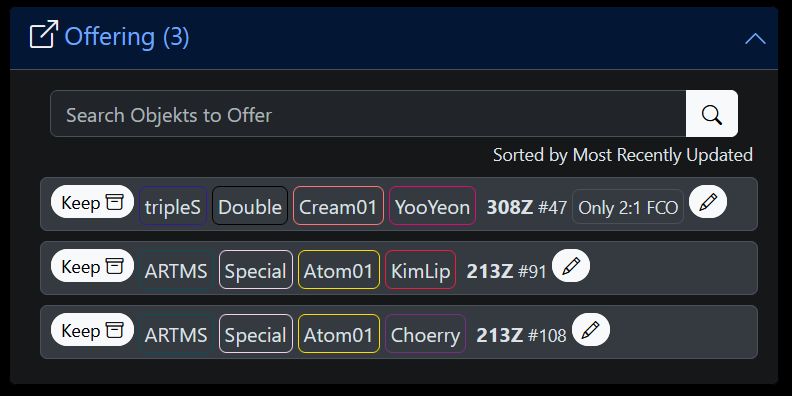
- List all the item types you Want, or to match an entire range of types by a combination of tags (a "tag-set"), eg any Jinsoul First Class, any Yooyeon Binary01 Double Class, etc.
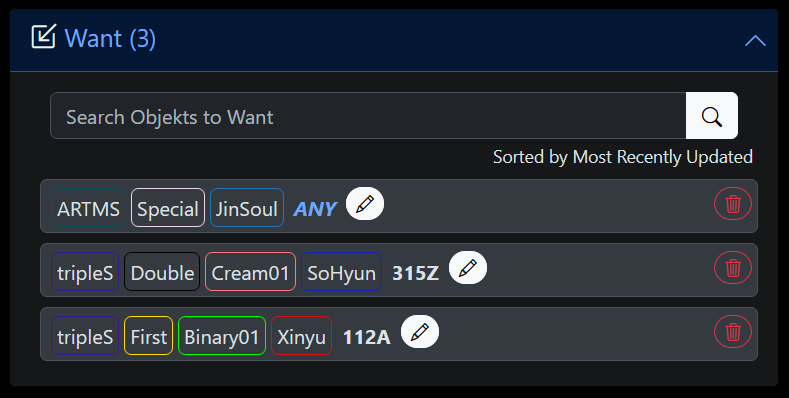
- Link/share your inventory wherever you want (eg Discord/Twitter/Facebook/Reddit/whatever) so people can easily see what you're trading. If your usage ends there and you prefer to trade off-platform that's fine, I'm not your mother, do what you want. In the early stages just sharing your inventory off-platform may be the primary utility while the site is still accumulating other users to match with.

2. Get Matched
- Your inventory automatically matches you with people who are Offering items you Want AND who Want items you're Offering, ie the intersection *cough* of your inventories.
- You'll be notified when new matches happen as other people update their inventories, and vice versa other people will be notified of a new match if you start Offering something they Want (or start Wanting something they're Offering).
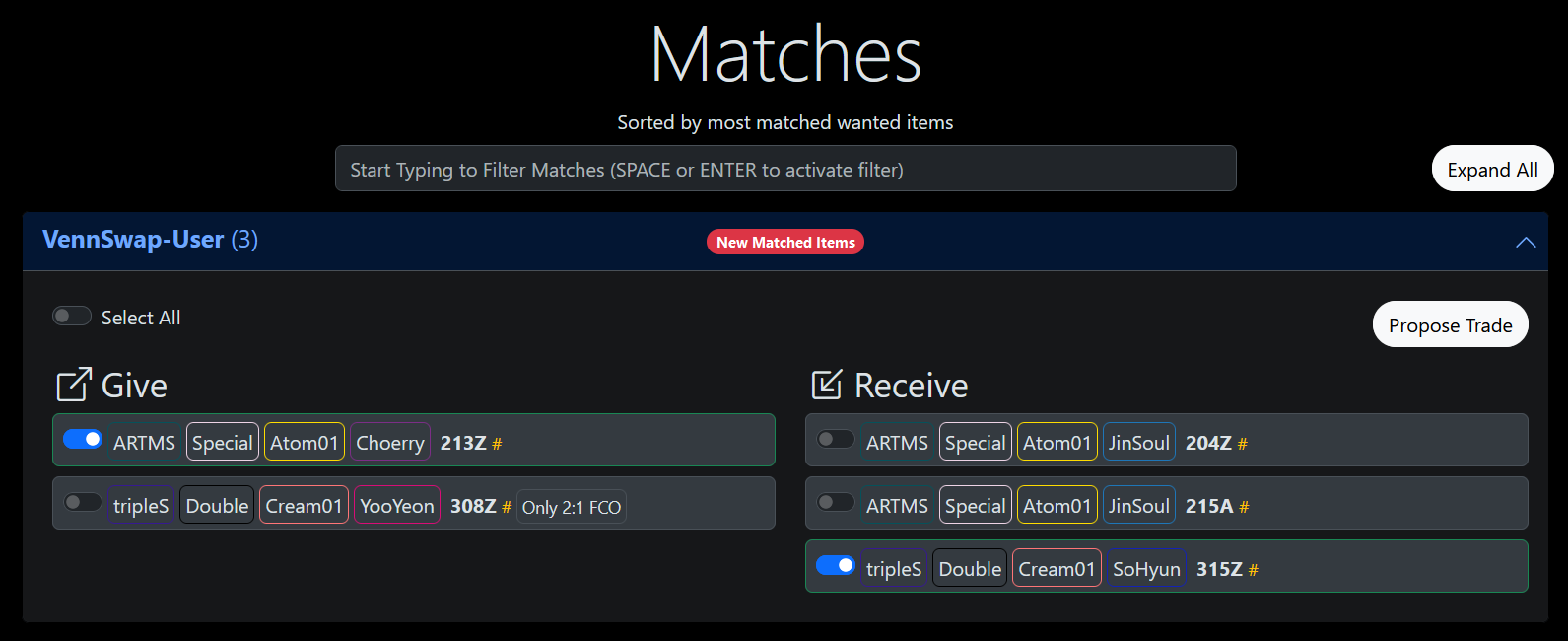
- A Wanted tag-set only matches with types you don't already own in your inventory (eg in Keeping), so it's easier to complete a full item set by only finding the ones you're missing without having to list them individually. If you still want to find a duplicate of something you already own, then you can list a specific item type as Wanted which will match it regardless of if you already own it or not.
- Hopefully soon™ there'll be more advanced matching filters, eg specified type/tag-set with only serial number below X, or only with a given trade ratio against a different type or tag-set, etc.

3. Trade
- Propose a new trade with a match, either with every matching item or you can select only specific items to trade with that person. There's also one-on-one chat within the trade so you can negotiate or clarify any issues.
- Once they've accepted the trade proposal, send the items IRL then mark it sent here. They'll be notified you've marked it sent, and vice versa you'll be notified when they mark theirs sent.
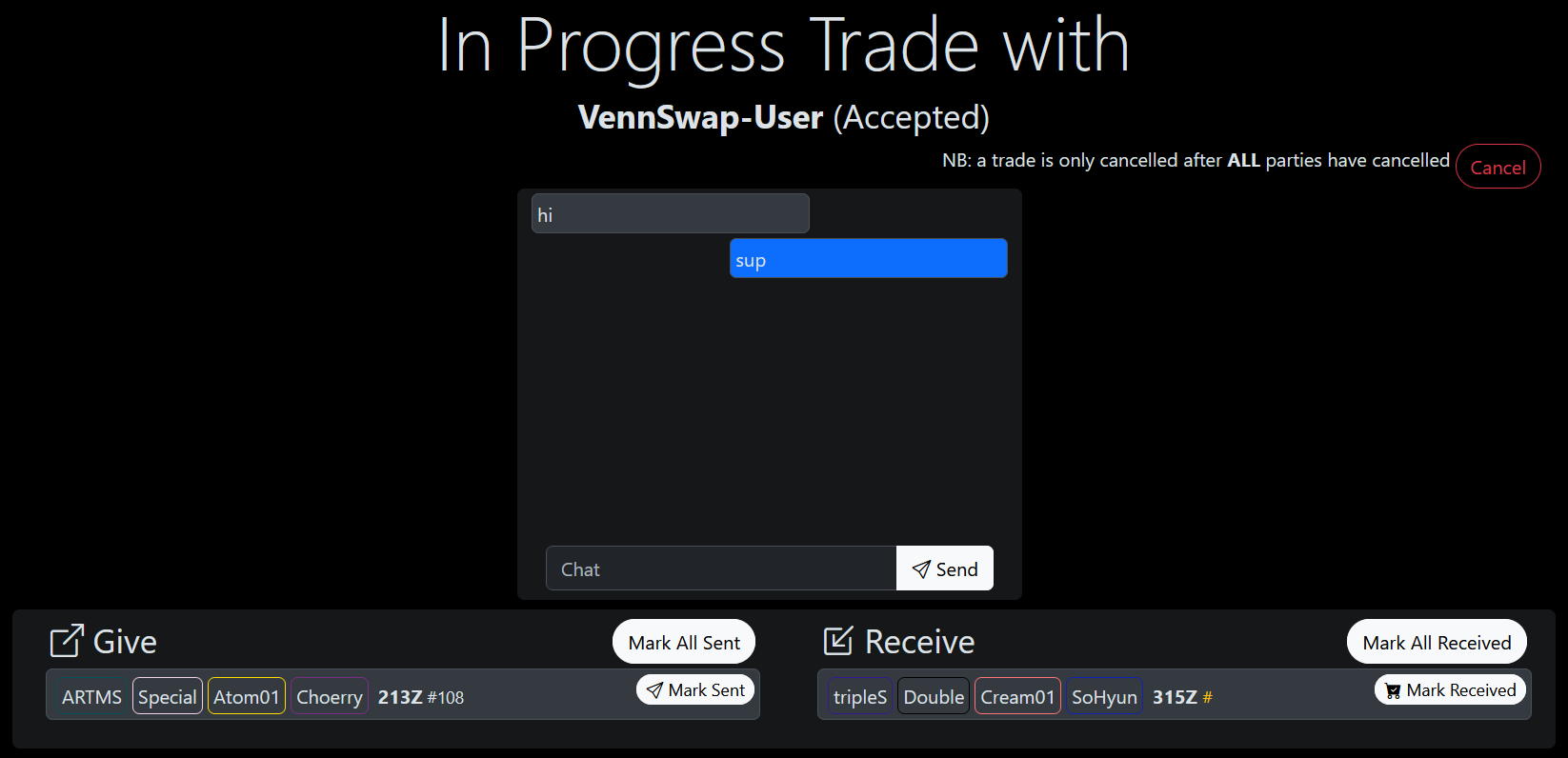
- Mark items as received here then they'll be transferred to your inventory under 'New', and when both parties have received all items the trade is complete. Accounts are frozen for 3 incomplete trades until they're resolved, so using the trade workflow on-platform provides some small mitigation against dishonest people.
- Using the trade workflow here is obviously optional (again, not your mother, do what you want), it's only a convenience to quickly initiate a proposal with a match. Totally fine if you just want to reach out to to your matches off-platform and take the lead from there.